Live logs from every machine
Watch stdout and stderr stream as it happens, search them, download them, and keep every attempt's history.
Torqrun is the open-source control room for every script your business depends on: schedules, workflows, retries and live logs, executed by lightweight agents on your servers, laptops and cloud VMs. Agents only connect out, so there are no inbound ports and no SSH keys.
$ git clone https://github.com/anshulsharma7/torqrun.git && cd torqrun && make up
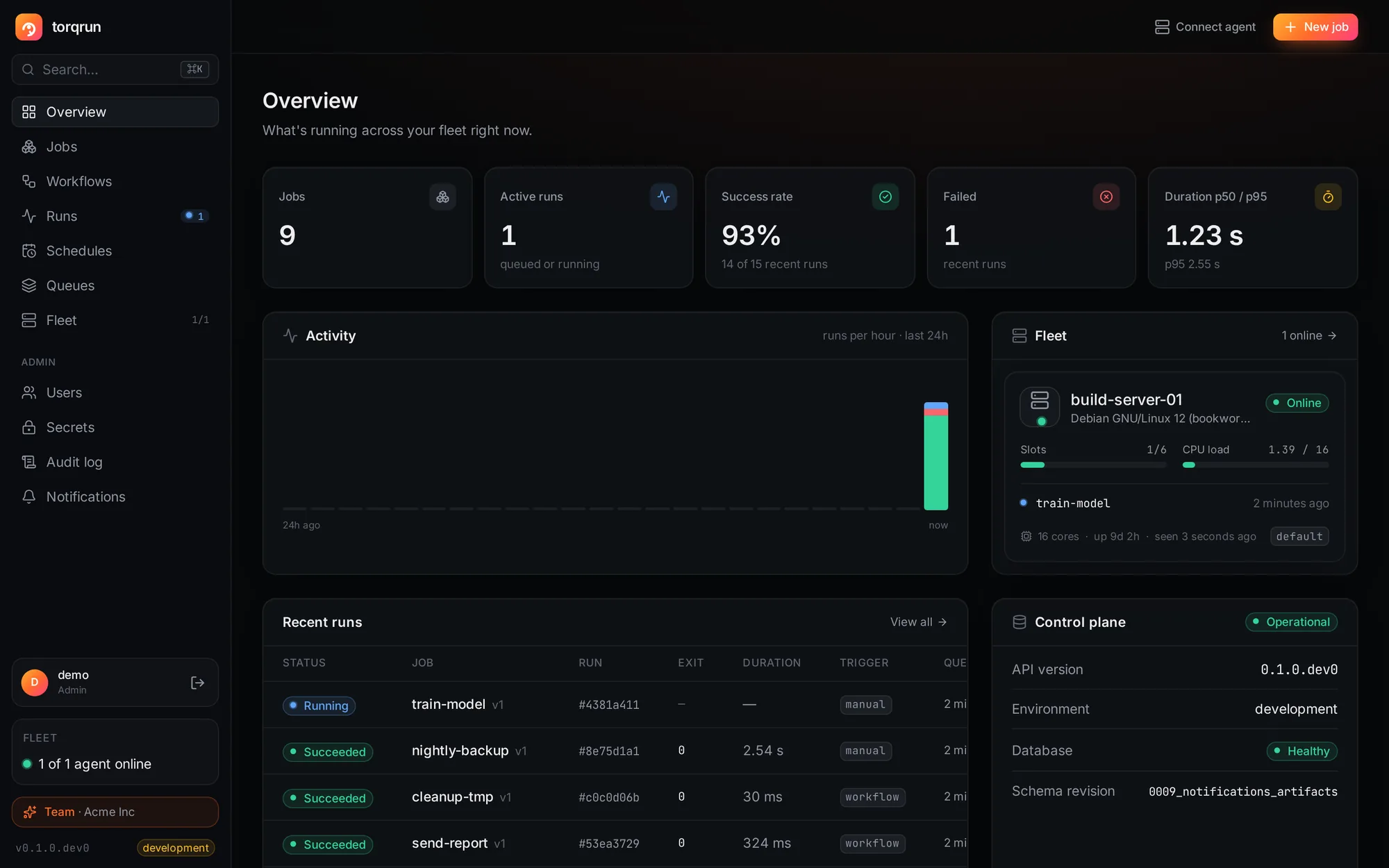
Runs your scripts wherever they live
make up starts the API, scheduler, UI and an agentReliable execution, full history and a real UI, without adopting an SDK or rewriting a single script.
Watch stdout and stderr stream as it happens, search them, download them, and keep every attempt's history.
Cron or intervals in any time zone, with defined DST and catch-up behaviour.
0 2 * * *in 5h 12m*/15 * * * *in 4m30 1 * * *Asia/KolkataDAGs with parallel branches and trigger rules. When something fails, rerun only what failed.
One-line install. Every agent has its own credential, rotated automatically, and can be drained or revoked in a click.
Run any job in a fresh Docker container with CPU, memory and network limits.
Users and roles, an encrypted secrets manager masked in logs, an audit log, and Slack, Teams and email alerts.
Real screenshots, nothing mocked up.
A PostgreSQL-backed control plane, and agents that pull their own work.
The orchestration engine is open source. Team and Enterprise add what you need when more people depend on it.
For individuals and evaluation
For teams running production jobs
For security and compliance needs
Items with a clock icon are on the roadmap and built for Enterprise customers on request; everything else is available today. Full comparison
The whole orchestration engine is free, with no limits on jobs, runs or agents: schedules, workflows, retries, remote agents, containers, artifacts and metrics. Team adds multiple users and roles, a secrets manager, an audit log and alerts. Enterprise adds SSO, an SLA and compliance help.
Jobs always run on your own agents. Self-hosted, everything else stays on your infrastructure too. Agents connect out over HTTPS, so you never open ports on the machines that run your jobs.
No. Torqrun runs plain Python and shell scripts, or anything in a Docker image. There's no SDK to adopt.
One command, make upgrade, with the license key you receive. It backs up first, keeps every job, run, schedule, workflow and agent, and rolls back automatically if anything fails.
Torqrun focuses on running plain scripts reliably across many machines: outbound-only agents, no SDK, and a fast UI with live logs. It doesn't try to be a data-asset framework.
It's pre-1.0. Every feature is covered by automated tests, crash and restore drills, load benchmarks and vulnerability scans on every change. Start with non-critical workloads and read the production guide.
Self-host Torqrun in one command, connect your machines, and see every run from one place.